Video lessons
Recorded explanations in high quality, organised into units and lessons, with playback controls and progress you can pick up where you left off.
High-quality video lessons, a digital library, question banks, homework and live sessions with expert teachers — everything a student needs in one app, in both Arabic and English.
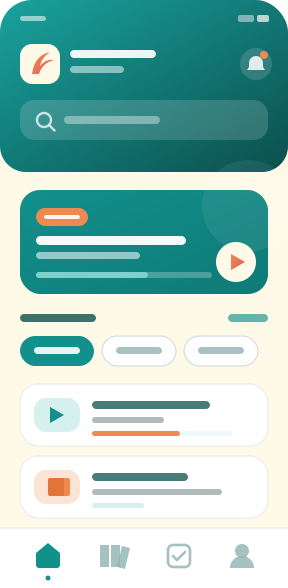
Built to follow a student through the whole year — from the first lesson to the final exam.
Recorded explanations in high quality, organised into units and lessons, with playback controls and progress you can pick up where you left off.
Books, handouts and reference PDFs you can read inside the app or download and come back to whenever you need them.
Timed quizzes and a broad question bank, with instant scoring and the correct answer explained after every question.
Regular assignments for each unit with downloadable files, so understanding is reinforced and measured as you go.
Online classes streamed live with your teachers, where you can ask questions and get answers while the lesson is happening.
Browse the teacher behind every subject, read their background, and see the courses they offer before you choose.
Screen-recording protection and one-device accounts keep lessons where they belong — with the teachers who made them.
Subscribe to a single subject or a full package, and pay by Syriatel Cash, MTN Cash, Fatoura or in cash at the institute.
Instant alerts for session times, upcoming quizzes, new courses and special offers, so nothing slips past you.
A light app that runs on most Android phones and keeps working when the connection does not.
From downloading the app to opening a lesson takes only a few minutes.
Get the APK from this page and install it on your phone. The download is free and needs no account.
Register with your details and mobile number, confirm the verification code, then pick your class so the right subjects appear.
Choose a subject or a package, complete payment the way that suits you, and start on the lessons and quizzes right away.
A walkthrough of the app and sample lessons, so you know what to expect before you start.

Get to know the interface and how to reach lessons, the library and quizzes.

See the teaching style and the picture and sound quality of our lessons.

Creating an account, choosing a package and completing payment, step by step.
A direct installer from our official site — no middlemen, no ads.
Tap the button to download the latest build. We recommend downloading over Wi‑Fi and keeping the app updated so you always have the newest lessons and features.
It looks like you are browsing from an iPhone or iPad. APK files run on Android only, and the iOS version is in preparation — get in touch and we will tell you when it lands.
Only download the app from this official site. Copies posted elsewhere may be modified or unsafe.
Still stuck? Get in touch and we will be glad to help.
We are here to answer your questions and help you pick the right course or package.
Damascus, Syrian Arab Republic
Saturday – Thursday · 9:00 AM – 6:00 PM
Download the app for free, create your account, and find out how much easier a well-organised study routine can be.